For field sellers and their managers
The meeting ends. The CRM is already up to date.
Drop in the meeting transcript or your trip report. Throughline writes the deals, the contacts, the next steps and the report, then waits for your one-click review.
Already have an account? Sign in
The problem
The hour after every customer meeting goes to data entry.
Write the trip report. Re-key the deal. Add the contacts. Chase the next steps. Then the manager asks for an update.
Today, by hand
- Sit through the meeting and take notes
- Write the trip report from memory
- Re-key each deal into the CRM
- Add the new contacts
- Track who promised what
- Brief the manager on Friday
Every step depends on a busy seller remembering to do it.
With Throughline
- Drop in the transcript or the trip report
- Review what it created: confirm, fix or kill
- Get back to selling
The deals, contacts, follow-ups and the report are already written. The manager's view fills itself in.
A day with Throughline
One line from the first handshake to Friday's pipeline review.
-
8:00 AM · Before the meeting
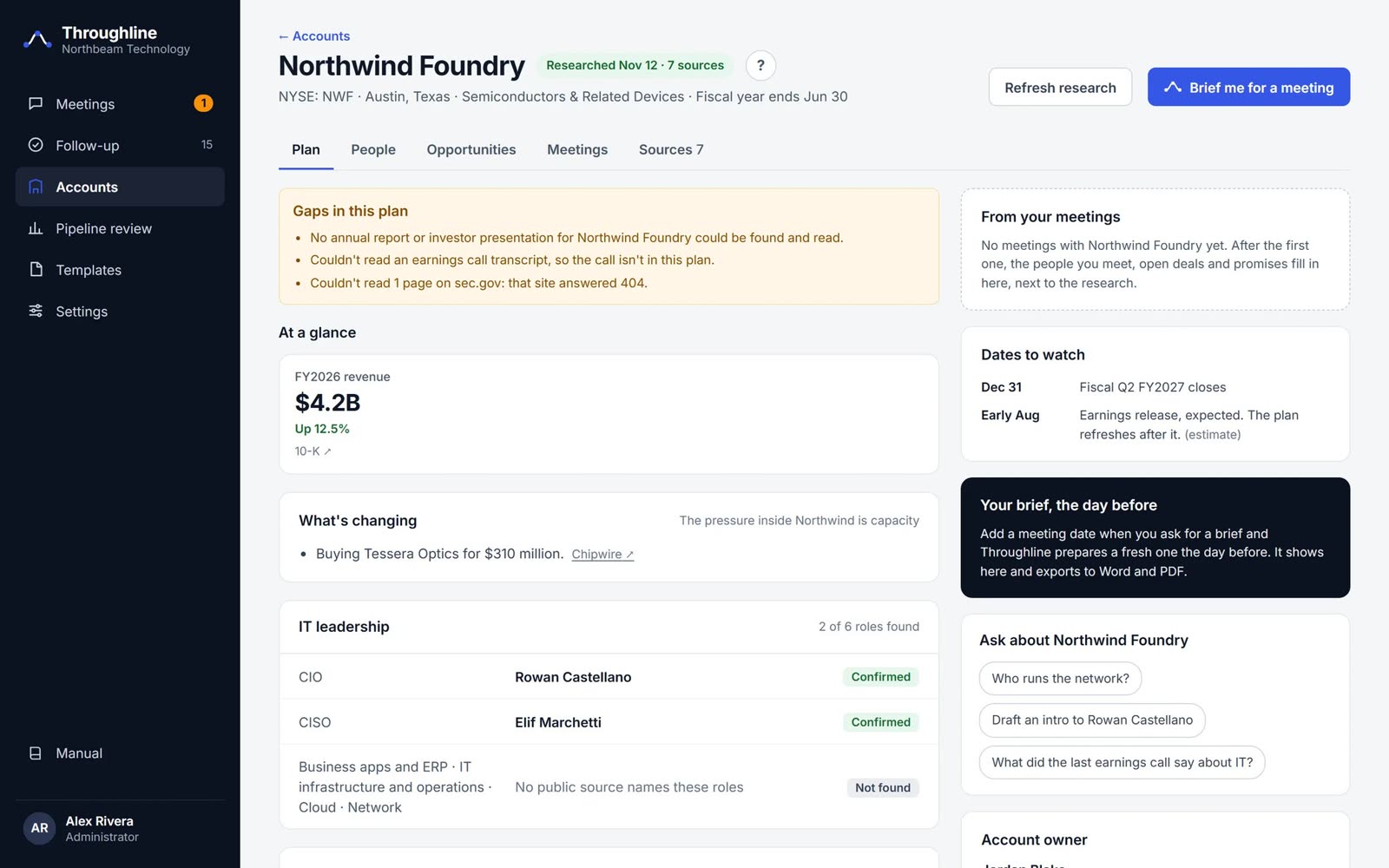
Walk in knowing the account
- A living account plan built from public filings, news and every past meeting.
- Who matters: IT leaders by role, each marked Confirmed or Likely, with sources.
- A one-page brief the day before: what changed, open deals, what to ask.
-
10:00 AM · The meeting ends
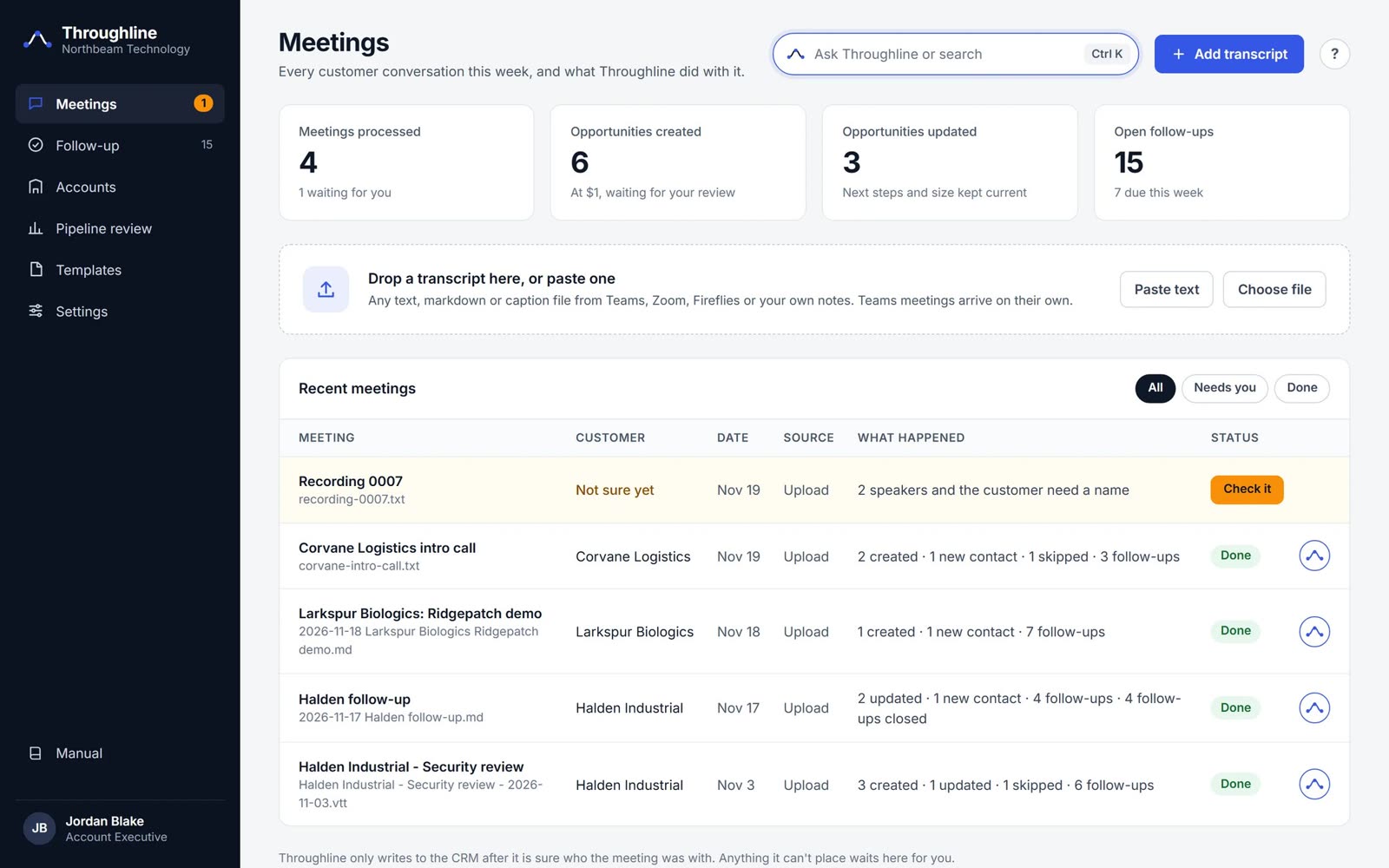
Drop it in and walk away
- Any source works: a Teams, Zoom or recorder transcript, or your own trip report.
- No forms, no fields. One file, dropped or pasted.
- It asks only when unsure, such as an unnamed speaker or a customer it can't place.
-
10:04 AM · Results
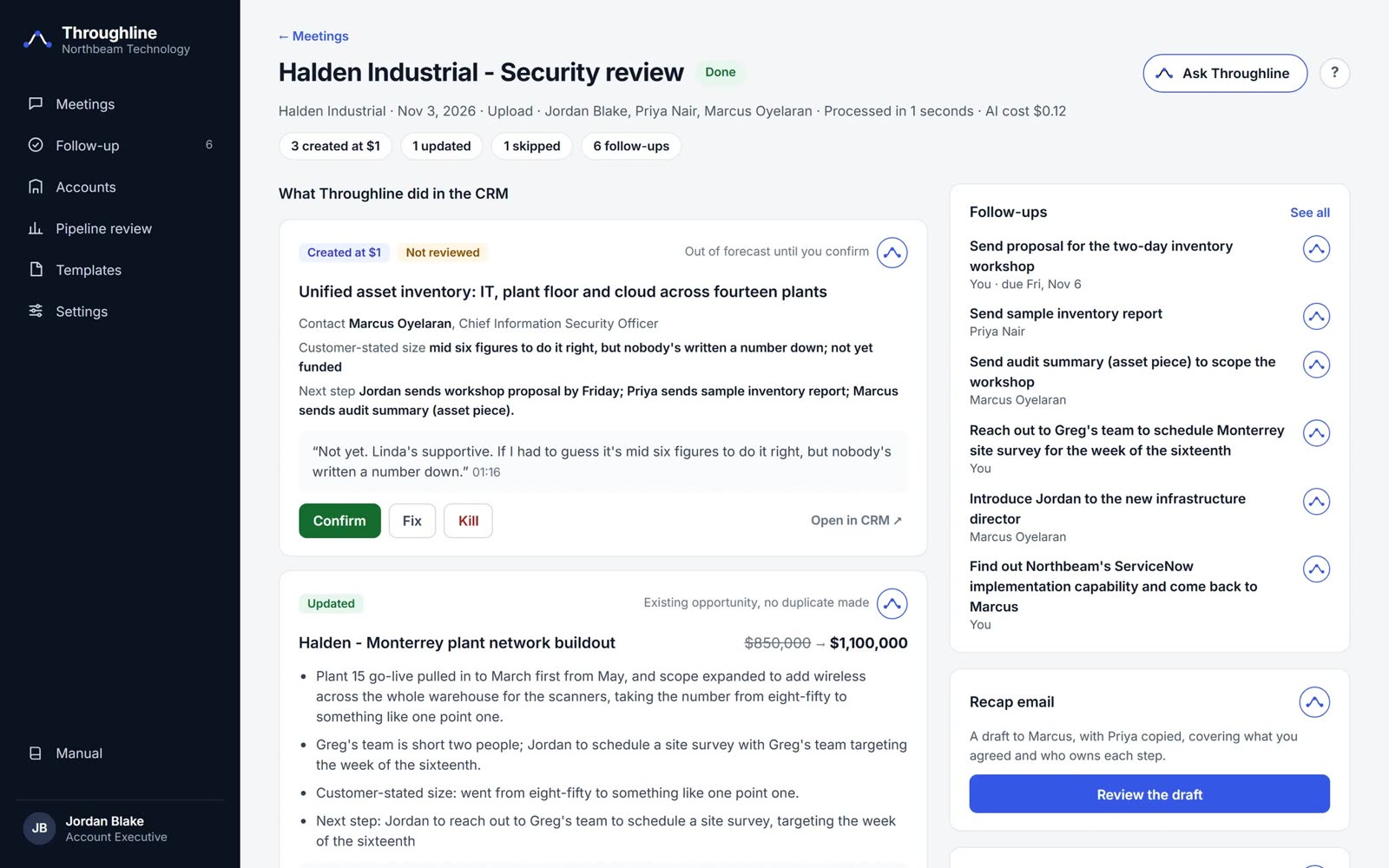
Confirm, fix or kill
- Every deal it heard is created at $1 and kept out of the forecast until you confirm it.
- The customer's own words sit behind each record, with the timestamp.
- Kill one with a reason and Throughline learns to skip that kind of deal next time.
-
2:00 PM · Follow-up
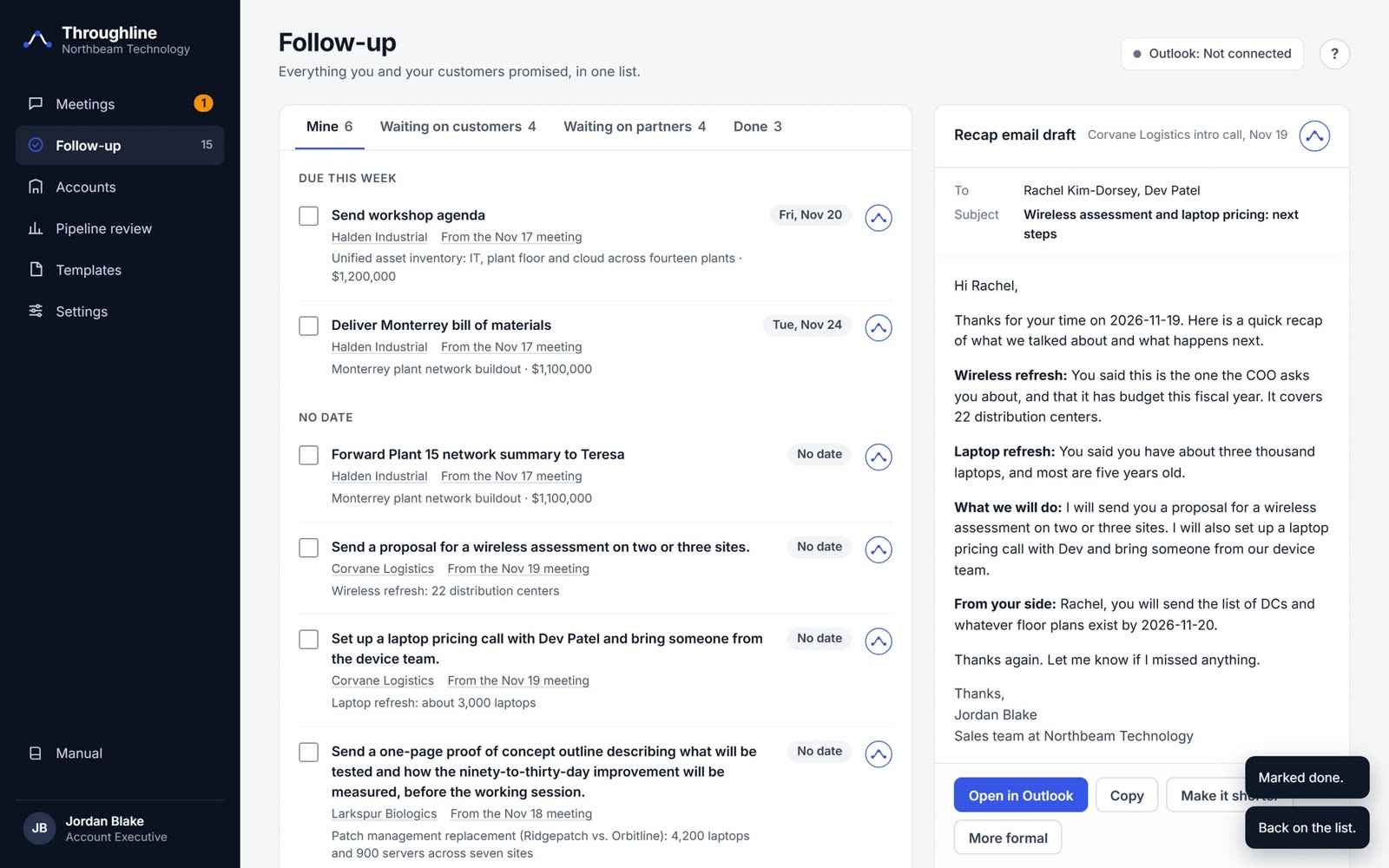
Nothing promised gets forgotten
- Every promise, by owner: yours, the customer's and each partner's.
- A recap email, drafted and ready to send to the customer.
- Overdue items surface for the seller and the manager, with no chasing.
-
Friday · Pipeline review
The manager's Friday, already prepared
- What the team captured this week: new, confirmed, killed and still waiting.
- What's slipping: deals unreviewed for days and remarks nobody followed up.
- No more "send me your updates." Export it to PDF for the staff meeting.
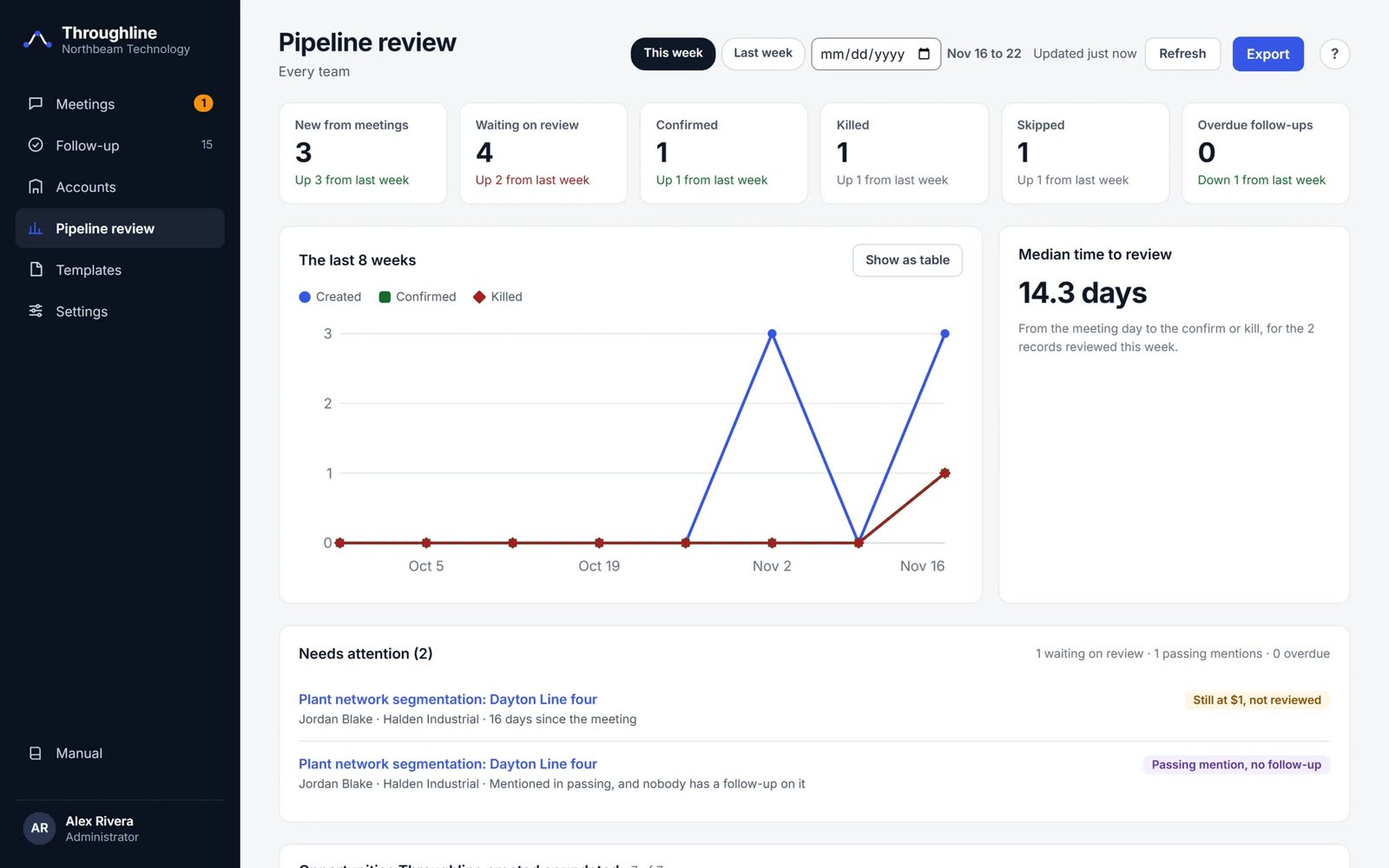
Every screen on this page shows invented demo data.
Already write a trip report?
Use it.
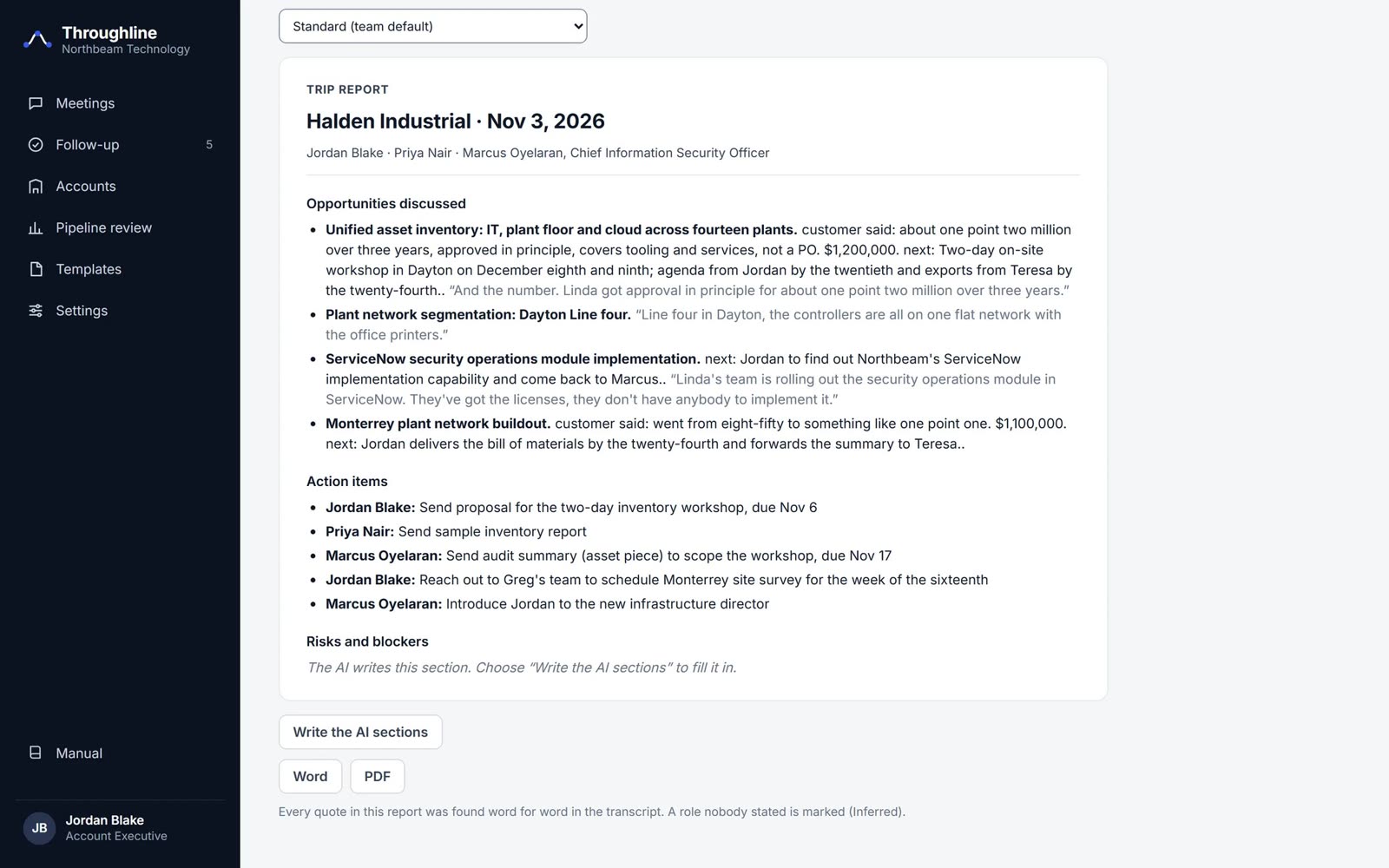
Paste one of your reports once and Throughline learns your layout. From then on, every report it writes follows your format, in Word or PDF.
Prefer to write on the road? Upload the finished report like a transcript. Throughline reads it and does the CRM work from it.
See it work
Five jobs, under 30 seconds each.
Built to be trusted
Six rules that keep AI from polluting your pipeline.
$1
Every new deal is a placeholder, out of the forecast until a person confirms it.
Word for word
Every quote is checked against the source. If it isn't there, it isn't used.
Your rules
It creates only what you sell, and it learns from every kill.
Hands off
It changes only the records it created. The rest of your CRM is untouched.
Partners stay out
Vendor people in the meeting are never written to the CRM as customers.
Capped cost
A monthly AI budget and a per-run limit, set by your admin.
Run the numbers with your own team
75
selling hours back, every week
Example inputs, not measurements. Move the sliders to your own headcount, meeting load and time per meeting.Pricing
One seller or one team. Billed monthly.
Solo
One seller who wants the hour after the meeting back.
$49a month
- Meetings and trip reports in, finished work out
- Trip reports in your format, Word or PDF
- Follow-ups and recap emails
- Account plans and pre-meeting briefs
- The assistant on every screen
For a sales team
Team
A team of up to five, manager included, in one shared workspace.
$199a month, up to 5 people
- Everything in Solo, for each person
- Guided connection to your CRM
- The manager's weekly pipeline review
- Selling rules shared across the team
- Roles and users for the whole team
Company
More than five people, your own cloud, or Throughline under your brand.
Let's talk
- Everything in Team
- Runs in your cloud or ours
- Your name, logo and colors
- Single sign-on
- Setup with your CRM admin
Cancel any time. Bring your own AI: you connect your AI provider's key and pay them directly for what you use.
Get started
Set up in a day, with a person on the other end.
- Tell us who you areSend the request. We reply within one business day.
- We set up your workspaceYour own private Throughline, with your trip report format loaded.
- Drop in your first meetingSign in, drop a transcript, and review what it wrote.